Python 3D引擎开发教程

在本教程中,我们将使用Python开发一个简单的3D引擎。
1. Panda3d
这是一款python/C++ 都可以使用的引擎,官方的说明如下:
Panda3D is an open-source, completely free-to-use engine for realtime 3D games, visualizations, simulations, experiments — you name it! Its rich feature set readily tailors to your specific workflow and development needs.
开放、开源、免费! 实时3D游戏、可视化、仿真引擎!
-
官方地址:
https://www.panda3d.org/ -
文档手册:
https://docs.panda3d.org/1.10/python/index
性能很不错,对于使用跨平台,并且需要脚本引擎加持的需求,是非常不错的选择。
2. ursina engine
开源游戏引擎
Python is the world's most popular programming language for a reason. The ease of use of Python combined with ursina's design, makes it easy to write concise code and avoid lots of boilerplate code.
Powered by Python
- 官方地址:
https://www.ursinaengine.org/ - 文档手册:
https://www.ursinaengine.org/documentation.html
特点:
1) Make Any Type of Game 2D games, 3D games, applications, visualizations, you can make anything you want with ursina.
2) Iterate Faster
Iteration speed benchmark. Time from code/scene change to play. Game: pong clone. Lower is better.
engine:         duration:       times as slow:

ursina          00.01s          1x
Godot           01.18s          118x
Unity           11.45s          1145x
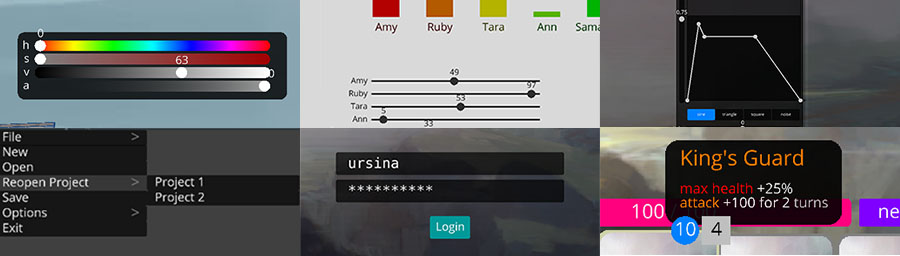
3) Modern UI • Sleek modern design. • Full control. Change the looks of anything, down to the smallest details. • Built with Entities like everything else, so you don't have to relearn anything.
4)Dependencies • python 3.6+ • panda3d • pillow, for texture manipulation • pyperclip, for cut and paste support
Optional: • psutil, for measuring memory usage • imageio, for recording and converting to gifs • psd-tools3, for converting .psd files • Blender, for converting .blend files